NexGPU
Choosing the right AI training server manufacturer can shape an organization’s entire machine learning workflow. The decision affects training speed, model stability, energy use, and long-term operating costs. It also influences how quickly engineers can test ideas and respond to changing workloads.
“AI is the most powerful technology force of our time,” NVIDIA founder and CEO Jensen Huang has said. His observation highlights why server selection requires more than comparing processor counts. A reliable manufacturer should provide modern GPUs, fast interconnects, sufficient memory, and cooling systems designed for sustained workloads. Small details matter. A poorly planned airflow path can create thermal throttling during overnight training runs.
This guide examines how to evaluate an ai training server manufacturer through practical, measurable criteria. It considers hardware performance, scalability, software compatibility, warranty coverage, technical support, and power efficiency. Verified benchmarks can reveal useful differences, but they should not become the only evidence. Results may change across models, datasets, and deployment environments.
Experience also matters. Manufacturers with documented deployments can often explain failure patterns, maintenance needs, and upgrade limitations. Ask for clear specifications, realistic delivery schedules, and references from comparable users. Vague promises deserve caution.
No checklist is perfect. Budget pressure may encourage compromises, while premium hardware may exceed actual requirements. A thoughtful decision connects server capabilities with real training workloads, staff expertise, facility limits, and future growth. The best ai training server manufacturer is not always the largest or cheapest. It is the partner that delivers dependable performance without hiding the difficult details.
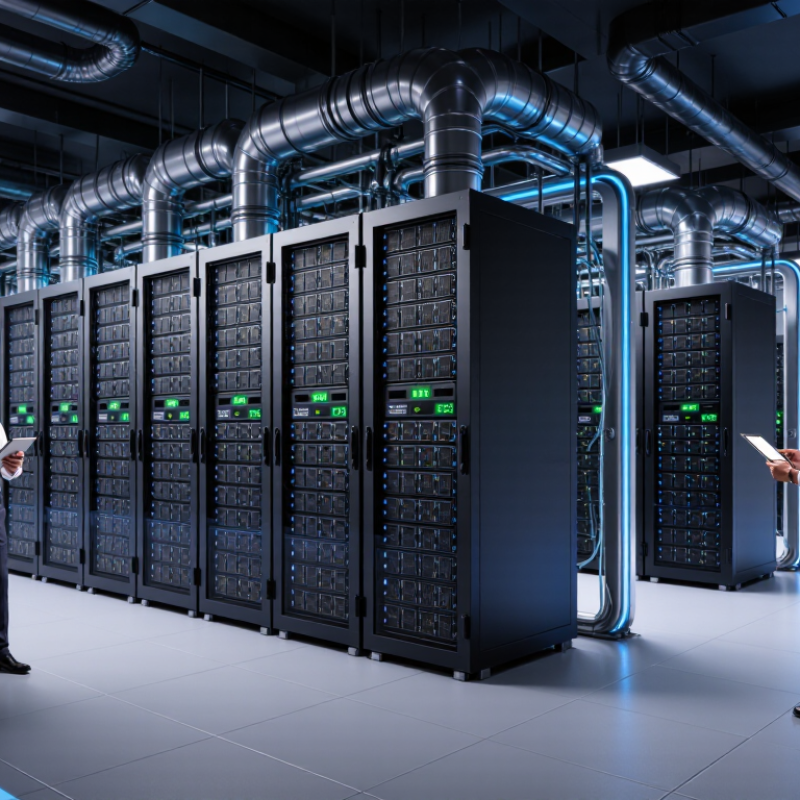
AI training servers need more than powerful processors. They must match your model size, dataset volume, and training schedule. A small vision model may run well with one accelerator, while language models often require several units. Memory capacity matters as much as processing speed. Insufficient memory can force smaller batches and extend training time.
I once underestimated data loading delays. The accelerators waited while storage struggled. That mistake increased costs without improving model quality.
Check the server’s interconnect bandwidth, memory type, storage speed, and network capacity. Fast local storage helps when datasets contain millions of small files. High-speed networking supports shared storage and distributed training. Cooling also deserves careful attention.
A fully loaded rack can produce intense heat and continuous fan noise. Ask the manufacturer for measured power use, thermal results, and performance under sustained workloads. Request tests using your own framework and batch sizes. Generic benchmark numbers may look impressive, but they can hide practical weaknesses.
Rack depth, power connectors, and maintenance access must fit your facility. Confirm firmware support, component availability, and response times for hardware failures. These details reveal operational experience.
Some specifications remain unclear until installation begins. That is worth questioning. A reliable manufacturer should provide clear documentation, realistic capacity estimates, and a service plan that matches your staff, budget, and training goals.
When choosing an AI training server manufacturer, compare the entire platform, not just its GPU count. GPUs control parallel training speed, but memory capacity and bandwidth often decide whether large models run smoothly. A powerful accelerator with limited memory may force smaller batches and increase training time. Check support for mixed-precision workloads, multi-GPU communication, and sustained performance under heat.
CPU capability still matters. It handles data loading, preprocessing, orchestration, and system tasks. A server with too few CPU cores can leave expensive GPUs waiting. Look for sufficient PCIe lanes and fast networking between processors, accelerators, and storage.
Memory should match the dataset size. For many workloads, 256 GB may be workable, while larger datasets require more. Storage also needs attention. NVMe drives can reduce loading delays, but capacity and endurance matter when datasets change daily. I have seen impressive systems underperform because their storage became the bottleneck.
Tips: Test a representative dataset before purchasing. Measure samples per second, startup time, memory usage, and recovery after a failed job. Ask the manufacturer for thermal test results and firmware update policies. Avoid relying only on peak benchmark numbers. They can mislead. Leave expansion room for additional memory, storage, or GPUs. This costs more initially, but replacing a crowded server later can be far more disruptive.
Choosing an AI training server manufacturer starts with measurable performance, not impressive component lists. Independent benchmarks matter. MLPerf Training reports time-to-train across standardized workloads, making vendor claims easier to test. Ask for results using your model size, precision, and batch pattern. A server that wins on paper may underperform when data loading stalls the accelerators. Short queues matter.
Scalability needs more than adding boxes. Check accelerator interconnect bandwidth, PCIe lane capacity, memory expansion, and network topology. The 2024 AI Index reported that frontier-model training costs could reach tens of millions of dollars, showing why efficient scaling matters. A practical test should grow from one node to eight. Measure throughput, failure recovery, and power draw. The International Energy Agency estimates that data centers used about 415 TWh globally in 2024. Cooling can erase benchmark gains. Leave headroom.
Compatibility protects investment. Confirm operating-system support, accelerator drivers, container standards, orchestration tools, storage protocols, and firmware policies. Request three-year parts availability and documented repair times. Hands-on testing catches details brochures omit, including cable clearance, thermal throttling, and fan noise. I would not trust peak throughput alone. It is useful, but incomplete. Require reproducible logs, energy readings, and workload-specific references from current deployments. Some specifications remain vague. That is a warning sign, not a minor inconvenience.
How to Choose the Best AI Training Server Manufacturer
Assessing Manufacturer Reliability, Support, and Security
A dependable manufacturer should provide more than impressive performance figures. I examine server failure rates, component testing, and documented quality procedures. Ask for evidence, not polished promises. Independent audit reports and customer references reveal operational consistency.
Support becomes critical when a training server stops during a costly workload. Check response times, replacement procedures, and technical coverage in your region. A clear service-level agreement should define escalation paths and spare-part availability. Live diagnostic tools also help engineers identify overheating, memory faults, or storage errors quickly. Real support matters.
Security requires attention beyond passwords. The manufacturer should explain firmware signing, vulnerability response, secure boot options, and access logging. Ask how returned hardware is sanitized. Confirm whether security updates remain available throughout the server’s expected life. A vague answer deserves caution.
I also inspect the support process personally. A test ticket can show whether specialists understand accelerators, cooling limits, and cluster networking. No checklist is perfect. I once focused too heavily on hardware specifications and underestimated delayed replacement parts. That mistake changed my evaluation method. Reliability is not only uptime; it includes honest communication when plans fail. A manufacturer that documents incidents, corrects weak processes, and shares realistic limitations usually earns greater trust.
An evidence-based comparison framework for evaluating AI training server manufacturers without relying on brand names.
| Evaluation Dimension | Key Metric or Requirement | Recommended Acceptance Level | Evidence to Request | Risk Signal |
|---|---|---|---|---|
| Hardware Reliability | Mean time between failures, component quality, and field failure history | Published reliability data, documented validation testing, and replaceable components for critical parts | Reliability report, burn-in test procedure, failure-rate summary, and service-parts policy | No reliability methodology or refusal to share failure trends |
| Thermal Management | Operating temperature, airflow design, liquid-cooling readiness, and thermal throttling control | Stable performance under sustained full-load training without repeated thermal throttling | Full-load thermal test, fan or pump redundancy design, cooling requirements, and rack-layout guidance | Performance declines during long training workloads or cooling requirements are unclear |
| Power Efficiency | Performance per watt, power supply efficiency, and peak power behavior | Measured power consumption at idle, typical training load, and peak load; sufficient rack power margin | Independent power measurements, power-budget worksheet, and power-supply certification | Only theoretical power figures are provided |
| System Availability | Redundancy for power, cooling, storage, networking, and management components | No single point of failure for components identified as business-critical | System architecture diagram, failure-mode analysis, and replacement procedure | A single failed fan, power supply, or storage device can stop the entire workload |
| Warranty Coverage | Warranty duration, coverage scope, exclusions, and repair or replacement terms | Written coverage for the complete system, including labor and critical internal components | Warranty agreement, exclusions list, escalation procedure, and return-material authorization process | Warranty applies only to selected parts or excludes high-value computing components |
| Technical Support | Support hours, response time, escalation path, and engineering expertise | Documented response targets, 24/7 coverage for production deployments, and access to qualified engineers | Service-level agreement, support staffing model, ticket workflow, and sample incident report | Support is limited to business hours with no defined escalation process |
| Spare Parts Availability | Local inventory, component lead time, and repair logistics | Critical replacement parts are stocked regionally and delivery times are contractually defined | Parts inventory policy, regional repair locations, and average replacement lead times | All repairs depend on international shipping or uncertain supply chains |
| Firmware and Software Updates | Update frequency, compatibility testing, rollback capability, and change notification | Authenticated updates, documented release notes, compatibility testing, and a safe rollback method | Update policy, release history, validation matrix, and rollback instructions | Updates are unsigned, undocumented, or cannot be reversed |
| Secure Boot and Hardware Trust | Secure boot support, trusted platform hardware, and firmware integrity controls | Secure boot is supported and enabled through a controlled provisioning process | Security architecture, configuration guide, firmware-signing process, and audit records | Default credentials, unrestricted firmware access, or no integrity verification |
| Vulnerability Management | Security disclosure process, patch timelines, and product end-of-life policy | Public vulnerability reporting channel and defined remediation targets based on severity | Security advisory archive, incident-response policy, patch history, and end-of-support schedule | No security contact or unclear responsibility for firmware vulnerabilities |
| Supply-Chain Security | Component traceability, supplier controls, tamper protection, and manufacturing transparency | Traceable components, documented supplier screening, and secure delivery procedures | Supply-chain policy, component-origin records, tamper-evident packaging, and audit results | Component origin and manufacturing controls cannot be verified |
| Data Protection | Secure storage erasure, access control, encryption support, and diagnostic-data handling | Customer data remains isolated, support access is logged, and storage disposal follows recognized sanitization practices | Data-handling policy, access logs, storage-erasure procedure, and independent security assessment | Unrestricted remote access or undefined handling of diagnostic data |
| Performance Validation | Training throughput, interconnect bandwidth, scaling efficiency, and workload consistency | Results are reproducible using clearly stated datasets, software versions, batch sizes, and power limits | Benchmark methodology, raw results, configuration details, and customer acceptance-test plan | Marketing results omit workload, software, or measurement conditions |
| Lifecycle and Scalability | Upgrade path, compatible expansion options, product lifecycle, and interoperability | At least one documented upgrade path without requiring a complete platform replacement | Product lifecycle roadmap, compatibility matrix, upgrade pricing, and migration plan | Short support horizon or proprietary limitations that prevent expansion |
| Total Cost of Ownership | Purchase price, energy, cooling, support, maintenance, downtime, and disposal costs | Five-year cost model includes acquisition, operating, support, replacement, and decommissioning expenses | Itemized quotation, energy assumptions, support fees, maintenance schedule, and disposal requirements | Low initial price masks high operating or service costs |
Choosing an AI training server manufacturer requires more than comparing purchase prices. Total cost includes electricity, cooling, networking, maintenance, software support, and replacement parts. The International Energy Agency reported that data centers used about 460 TWh of electricity globally in 2022. It also expects demand to potentially double by 2026, driven partly by AI workloads. Energy efficiency is now a financial issue, not just an environmental one.
Ask manufacturers for measured performance data, not only laboratory claims. Compare performance per watt, rack density, power supply efficiency, and cooling requirements under sustained training loads. The U.S. Department of Energy estimated that American data centers used about 4.4% of national electricity in 2023, potentially reaching 6.7% to 12% by 2028. A server that trains faster but consumes sharply more power may lose its advantage within several years. In my experience, utilization assumptions are often too optimistic. No spreadsheet predicts every failure.
Tips: Request a five-year total-cost model with electricity priced locally. Check warranty response times and spare-part availability. Test a representative workload before signing. Review operating temperature limits and service procedures. Uptime Institute reported an average data-center PUE of approximately 1.56 in its 2023 survey, showing that facility efficiency still varies widely. Consider modular upgrades, repairability, and resale value. The lowest quotation is not always economical. Sometimes, reliability deserves the premium.
Four-year total cost of ownership comparison for representative AI training server configurations. The model includes acquisition, electricity, cooling and facility overhead, and maintenance.
Assumptions: 4,000 training hours per year, electricity at $0.12 per kWh, four-year service life, and estimated facility overhead based on typical data-center power usage effectiveness. Lower energy and cooling costs can offset a higher purchase price over time.
Use independent benchmark results and your own workload. Request tests matching model size, precision, and batch patterns. Peak throughput alone is incomplete.
Test the server from one node to eight nodes. Measure training throughput, recovery after failures, power draw, and network behavior. Scaling is not just adding boxes.
Check accelerator interconnect bandwidth, PCIe lanes, memory expansion, and network topology. Leave cooling and power headroom. Small limits become expensive.
Verify operating-system support, drivers, containers, orchestration tools, storage protocols, and firmware policies. Request three-year parts availability and documented repair times. Test cables, airflow, and noise directly.
Review response times, replacement procedures, regional coverage, and escalation paths. A clear service agreement should define spare-part availability. Real support matters.
Ask about signed firmware, secure boot, vulnerability responses, and access logging. Confirm how returned hardware is sanitized. Security updates should cover the expected service life.
Include electricity, cooling, networking, maintenance, software support, and replacement parts. Use local electricity prices in a five-year cost model. The lowest quote may cost more later.
Compare performance per watt, rack density, power supply efficiency, and cooling needs. Measure these values during sustained training. Fast is not always economical.
Run a representative workload before signing a purchase agreement. Record energy readings, thermal throttling, fan noise, repair steps, and failure recovery. I once trusted specifications too much.
Vague specifications, missing logs, unclear repair times, and weak incident documentation deserve caution. Ask for current deployment references and independent quality evidence. Promises are not proof.
Choosing the right ai training server manufacturer requires a clear understanding of your organization’s technical goals, workload types, and future growth plans. Start by assessing GPU performance, CPU capacity, memory bandwidth, storage speed, and networking requirements to ensure the server can handle demanding model training tasks efficiently. It is also important to evaluate system performance, scalability, hardware compatibility, and support for the software frameworks your team uses.
Beyond specifications, consider the manufacturer’s reliability, quality control, technical support, warranty coverage, and security practices. A trustworthy provider should offer stable products, responsive assistance, and solutions that can adapt as computing needs evolve. Finally, compare the total cost of ownership, including purchase price, maintenance, power consumption, cooling, and potential upgrades. The best decision balances immediate performance with energy efficiency, operational stability, and long-term value, helping your organization build a dependable and cost-effective AI infrastructure.
